Best IPTV Apps for Smart TV in 2026: Samsung, LG & Android TV
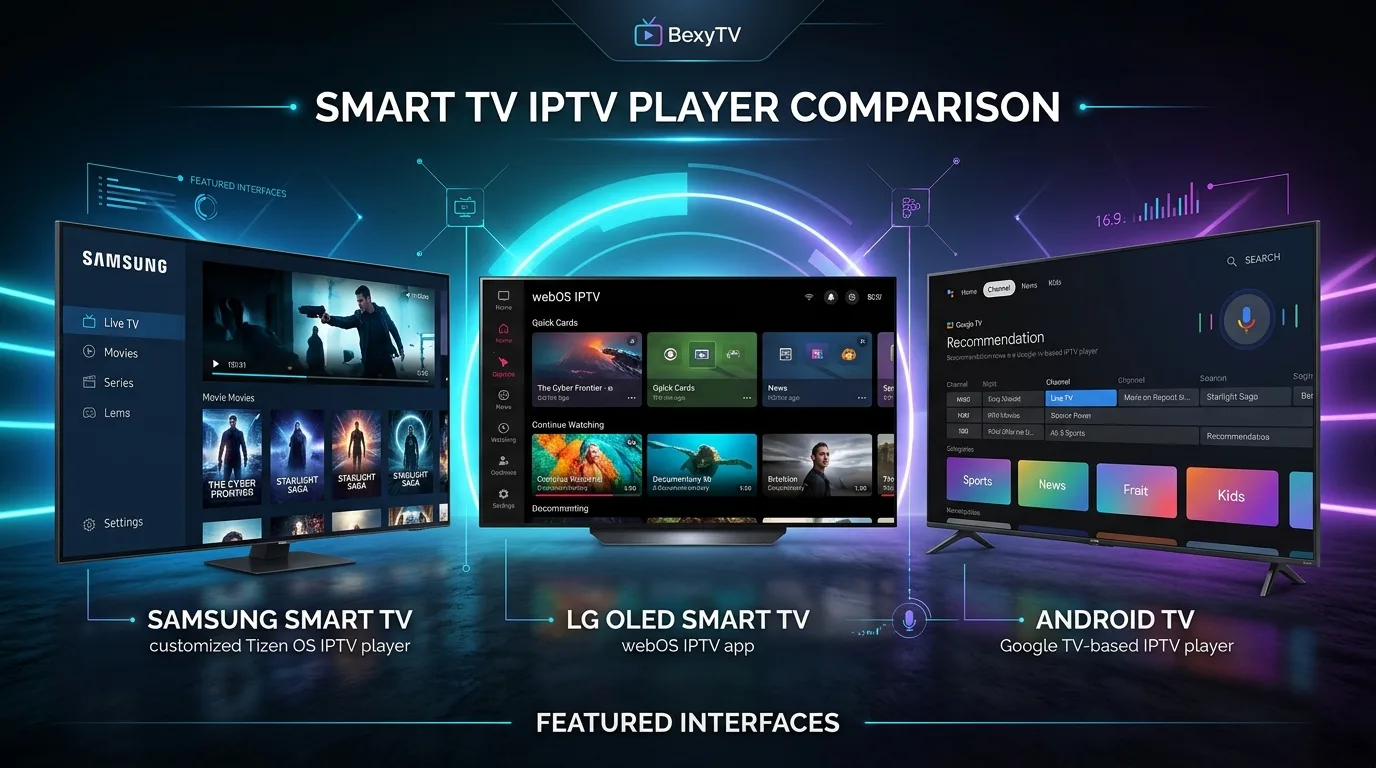
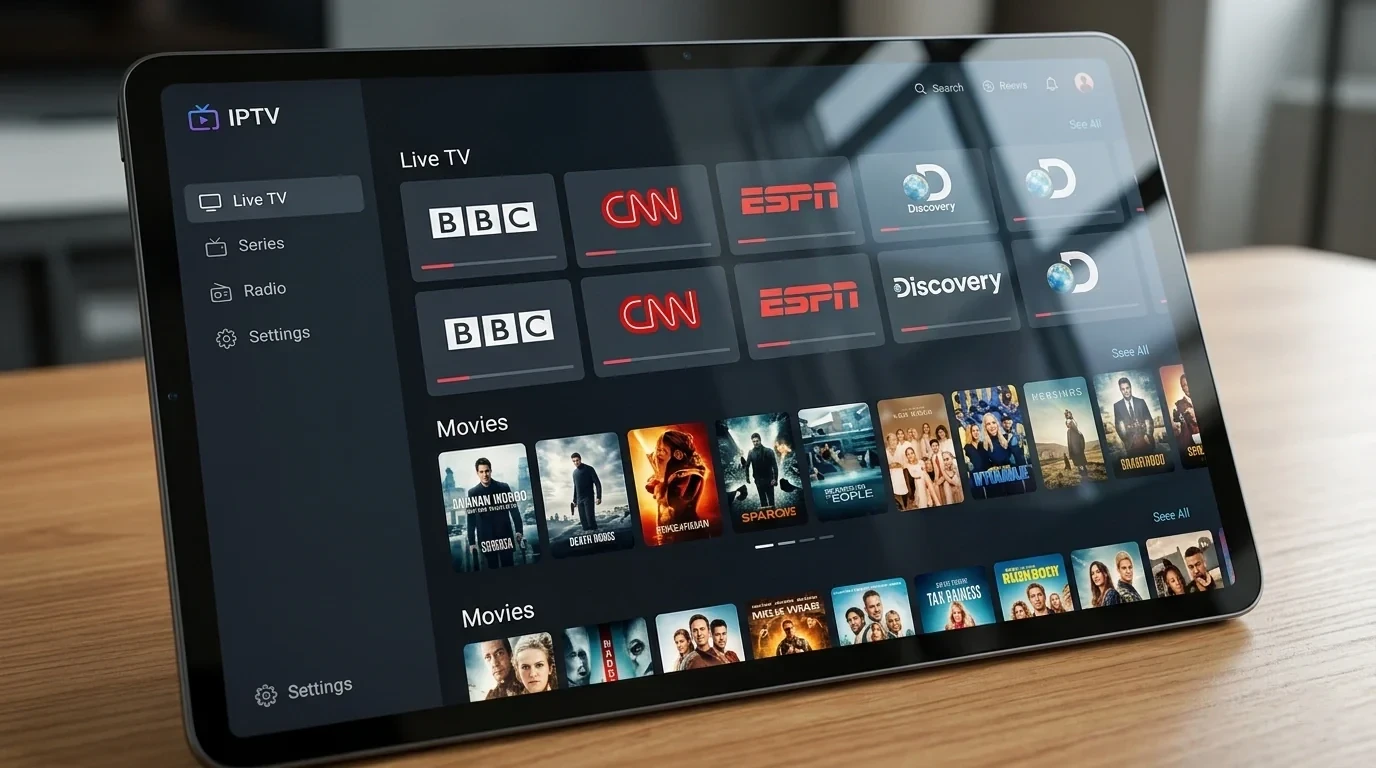
Modern Smart TVs dominate home entertainment with 4K displays, HDR processing, and immersive audio. However, streaming live television over IP requires understanding an essential distinction: finding the best IPTV apps for Smart TV in 2026 requires separating your physical television, its operating system, and the media player you install.
Many viewers install an IPTV app and wonder why no channels appear. An IPTV player is a media rendering engine designed to decode streams from an independent subscription. Without a playlist URL or Xtream Codes login from an authorized provider, any IPTV app remains an empty shell.
Choosing the right player directly impacts your daily viewing—affecting channel zapping speed, EPG responsiveness, on-demand cataloging, and stream stability. In this 2026 guide, we compare top IPTV players across Samsung Tizen, LG webOS, and Android TV / Google TV, evaluate leading apps including TiviMate, IPTV Smarters Pro, Smart IPTV, and IBO Player, and help you choose the ideal setup for the BexyTV platform (learn more about how modern IPTV streaming works).
What Is an IPTV App for Smart TV?
IPTV streaming relies on four core architectural layers:
- The IPTV Service / Provider: The upstream infrastructure hosting live channels and on-demand video libraries on cloud servers.
- The IPTV Playlist: The authorization bridge (M3U URL or Xtream Codes API credentials) supplied by your service.
- The IPTV Player Application: The client-side software on your TV that parses playlists, displays the EPG grid, and decodes video streams.
- The Smart TV Operating System: The core software (Samsung Tizen, LG webOS, or Android TV / Google TV) governing app availability and memory.
An IPTV player does not supply channels or broadcast licenses. Users must input credentials from an authorized IPTV provider to stream content.
What Makes a Good IPTV App?
When evaluating Smart TV IPTV players, prioritize these essential features:
- M3U & Xtream Codes Support: Compatibility with M3U URLs and Xtream Codes API login for automated channel cataloging.
- EPG Integration: A fast XMLTV-compatible program guide for tracking live programming and upcoming schedules.
- VOD Organization: Structured sorting for movies and series, including poster artwork, synopses, and episode selectors.
- Favorites Management: Quick bookmarking to group preferred sports, news, and entertainment channels.
- Remote Navigation: Smooth D-pad navigation tailored for TV remotes like Samsung's One Remote and LG's Magic Remote.
- Audio & Subtitles: Fast switching between alternate audio commentary tracks and embedded subtitles.
- Buffer & Decoder Controls: Hardware acceleration and adjustable buffer margins to eliminate micro-stutters.
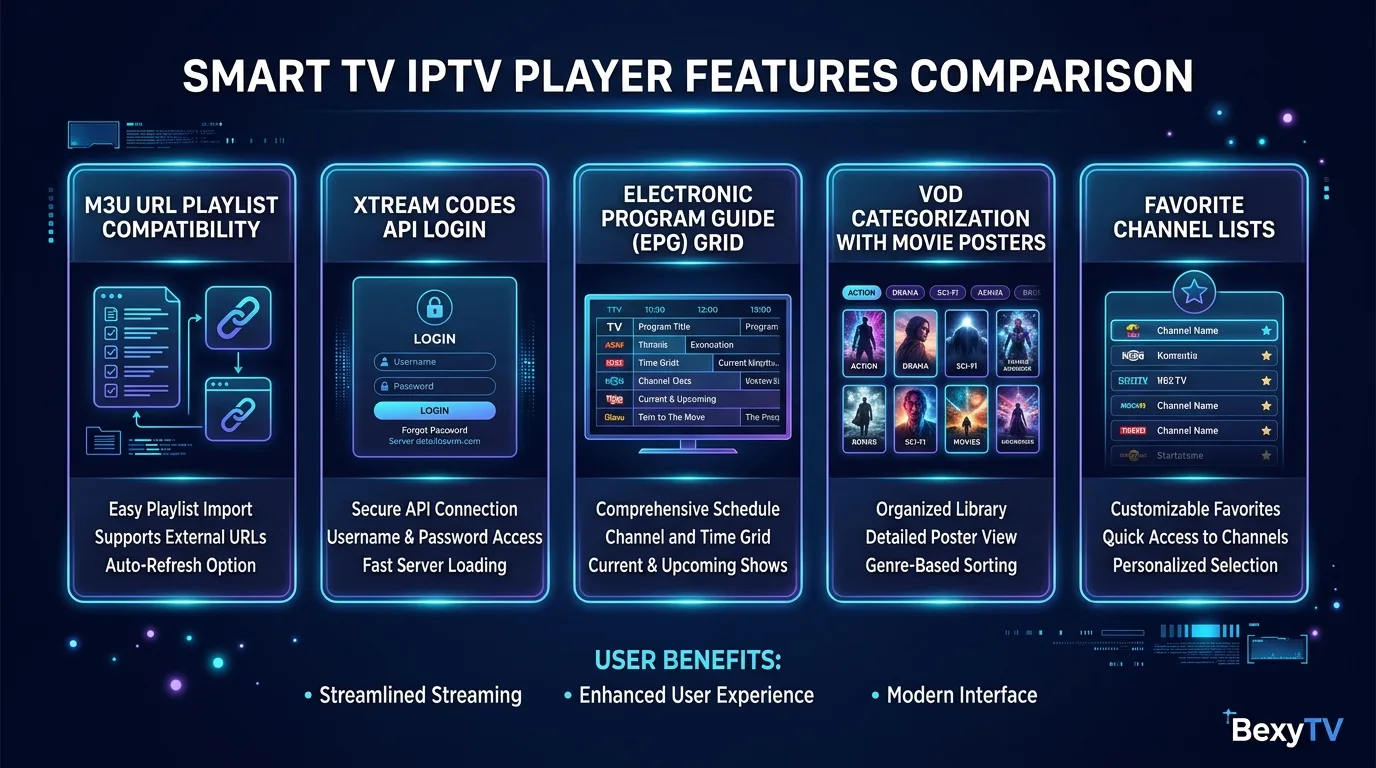 Smart TV IPTV player features comparison matrix showing M3U, Xtream Codes, EPG grid, VOD, and favorites
Best IPTV Apps for Smart TV in 2026
Because Smart TV platforms utilize different operating systems, app availability varies between brands:
| IPTV App | Samsung | LG | Android TV | M3U | Xtream Codes | EPG | VOD | Best For |
|---|---|---|---|---|---|---|---|---|
| IBO Player | Yes (Native) | Yes (Native) | Yes (Play Store) | Yes | Yes | Very Good | Very Good | Native UI on Samsung & LG |
| TiviMate | No | No | Yes (Gold Standard) | Yes | Yes | Outstanding | Good | Live TV surfing & sports |
| IPTV Smarters Pro | Regional | Regional | Yes (Full Native) | Yes | Yes | Good | Excellent | Balanced live TV & VOD |
| Smart IPTV | Yes (Native) | Yes (Native) | Yes | Yes (MAC) | Via M3U Link | Basic | Minimal | Older lightweight TVs |
| Net IPTV | Yes (Native) | Yes (Native) | Yes | Yes (MAC) | Via M3U Link | Basic | Basic | Simple web-managed playlists |
Note: App store availability can vary by country, television model year, and manufacturer firmware updates.
Best IPTV Apps for Samsung Smart TV
Samsung powers its displays with Tizen OS, a closed operating system with a curated app store that blocks Android APK sideloading.
Top IPTV Players for Samsung Smart TV:
- IBO Player: The premier native IPTV app on Samsung Tizen. Features a modern card dashboard for Live TV, Movies, and Series. Supports M3U links and Xtream Codes via web pairing with your TV MAC address, following a 7-day free trial.
- Smart IPTV (SIPTV): A lightweight utility with a simple channel list. Places minimal demand on TV hardware, launches channels rapidly, and pairs via the Smart IPTV website using your TV MAC address.
- Net IPTV: A dependable alternative for straightforward channel viewing, featuring tile navigation and web-based playlist pairing.
- IPTV Smarters Pro on Samsung: Regional availability varies. Where available natively, it provides a balanced dashboard. If absent, Samsung owners typically use IBO Player or an external stick. Check our BexyTV supported devices guide for verified hardware options.
Best IPTV Apps for LG Smart TV
LG Smart TVs run on webOS, known for its card launcher and gyro-powered Magic Remote pointer. Like Samsung, webOS is a closed system that does not run Android apps.
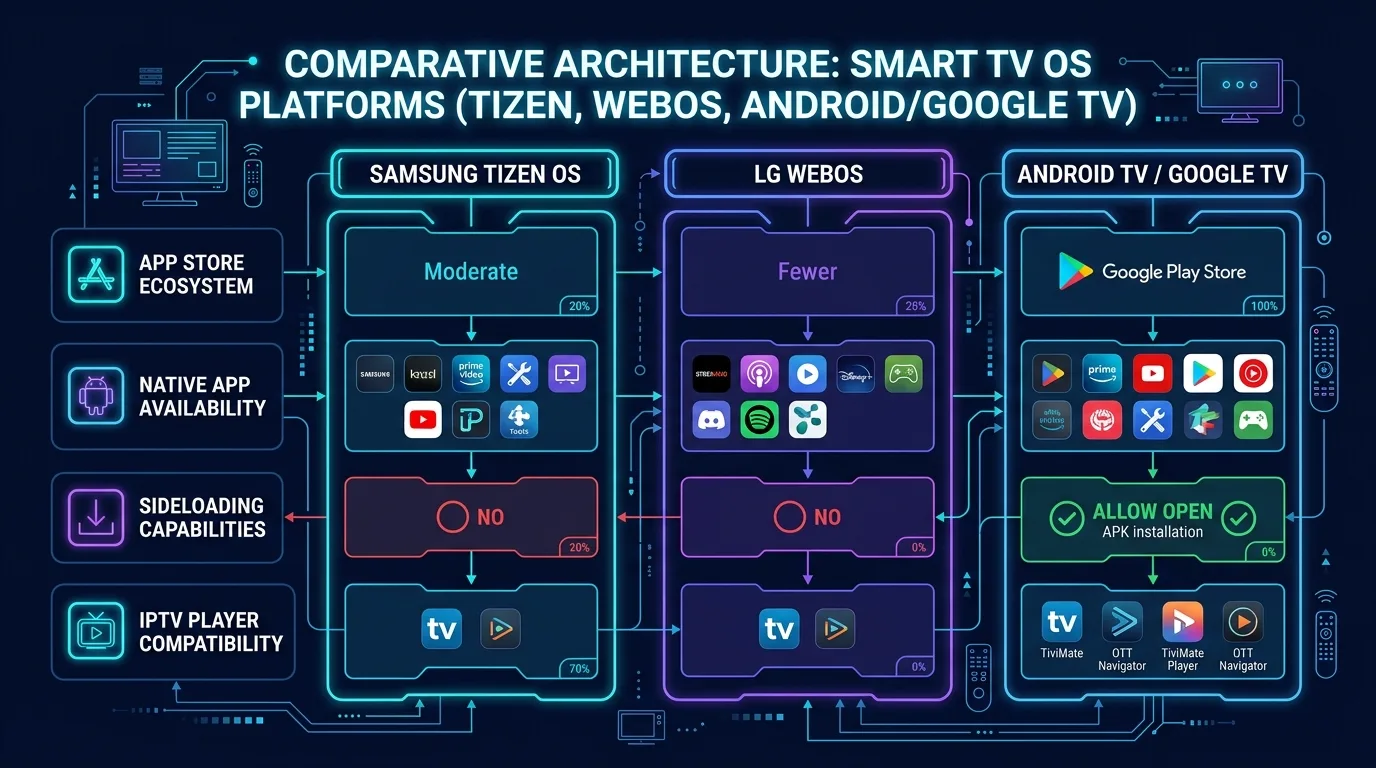 Smart TV OS comparison diagram illustrating Samsung Tizen, LG webOS, and Android TV app availability and sideloading
Top IPTV Players for LG Smart TV:
- IBO Player for LG: The premier player in the LG Content Store, seamlessly integrating with the LG Magic Remote pointer for effortless channel selection and EPG browsing via web pairing.
- Smart IPTV (SIPTV) on LG: A fast, lightweight utility ideal for entry-level LG sets, using minimal memory and focusing strictly on live television.
- Net IPTV & Nanomid Player: Accessible across most regional LG stores, offering reliable playlist pairing and broad video codec support.
webOS Memory Management: LG webOS strictly limits background RAM. Loading massive uncurated playlists with over 50,000 items on older LG sets can cause app restarts. Using optimized players like IBO Player and selecting focused channel bouquets ensures reliable performance.
Best IPTV Apps for Android TV
Televisions running Android TV or Google TV—including models from Sony, Philips, TCL, and Hisense—offer the most versatile IPTV software ecosystem.
Why Android TV Leads in Player Choice:
Built on an open architecture, Android TV provides Google Play access and APK sideloading for specialized players unavailable on Samsung or LG.
- TiviMate IPTV Player: The benchmark live TV player on Android TV, featuring a fluid horizontal EPG timeline with background video playback. Premium unlocks multi-screen viewing, scheduled recording, and custom channel grouping.
- IPTV Smarters Pro: The standard for households seeking a balanced media hub. Neatly separates Live TV, Movies, and Series, with direct on-screen Xtream Codes login.
For readers comparing players on external streaming sticks, check our guide on the best IPTV apps for Firestick in 2026.
Samsung vs LG vs Android TV: Which IPTV Platform Is Best?
When choosing a Smart TV platform for IPTV, each operating system presents distinct strengths:
| Feature | Samsung Tizen | LG webOS | Android TV / Google TV |
|---|---|---|---|
| App Store | Curated | Curated | Open (Google Play) |
| Sideloading | Blocked | Blocked | Open APK Support |
| Top Live App | IBO Player | IBO Player | TiviMate (Unmatched) |
| Navigation | Samsung D-Pad | Magic Remote Pointer | Universal D-Pad & Voice |
| Pairing | Web MAC Pairing | Web MAC Pairing | Direct On-Screen Login |
| Memory | Moderate | Aggressive Cleanup | Flexible Storage |
Platform Recommendations:
- Samsung Tizen suits viewers wanting a sleek native interface using IBO Player without external streaming boxes.
- LG webOS is ideal for users who enjoy rapid point-and-click navigation with LG's Magic Remote pointer.
- Android TV / Google TV is the premier choice for sports fans needing multi-screen viewing and TiviMate's cable-like EPG.
TiviMate vs IPTV Smarters vs Smart IPTV vs IBO Player
To help you choose between the four leading players, the direct comparison below outlines their key differences:
1. User Interface & Usability
- TiviMate: Built for live TV fans, launching directly into a full-screen EPG timeline.
- IPTV Smarters Pro: Multi-tile dashboard balancing live television and on-demand movies.
- IBO Player: Modern card aesthetic optimized for large 4K Smart TV screens.
- Smart IPTV: Minimalist text directory maximizing speed on modest hardware.
2. Electronic Program Guide (EPG)
- TiviMate: Outstanding local caching with instant search across multiple XMLTV links.
- IBO Player: Fast, responsive program timelines and show synopses from Xtream Codes data.
- IPTV Smarters Pro: Functional grid layout, though category browsing feels slightly segmented.
- Smart IPTV: Basic display showing current and next show titles beside channel names.
3. Playlist Support & Authentication
- Xtream Codes API: Supported natively by TiviMate, IPTV Smarters Pro, and IBO Player. Smart IPTV relies on M3U links.
- Multi-Playlist Handling: TiviMate merges multiple playlists into a unified guide. IBO Player and Smarters Pro support account switching.
Premium BexyTV 4K Streaming — Save 61% Today
Unlock 50,000+ channels, 150,000+ VODs, and 60 FPS Anti-Freeze technology. Get our 12-Month Plan for just $69.99.
- Premium Anti-Freeze v2
- Instant WhatsApp Activation
M3U vs Xtream Codes: Which Should Your IPTV App Support?
When configuring an IPTV player on your Smart TV, providers supply access in one of two formats:
M3U Playlist URLs
An M3U playlist is a web link containing channel stream addresses, names, and logos.
- Pros: Universal compatibility across virtually every media player.
- Cons: Long URLs are tedious to type using a TV remote, and updates may require manual reloading.
Xtream Codes API
Xtream Codes uses three simple fields: Server URL, Username, and Password.
- Pros: Quick entry on TV remotes, automated updates, separate VOD indexing, and automated EPG syncing.
- Cons: Requires native Xtream Codes API integration in the player app.
Whenever your provider supports both options, Xtream Codes API is strongly recommended for Smart TV streaming due to easier setup and automated guide syncing.
Why EPG Support Matters in an IPTV App
An Electronic Program Guide (EPG) transforms raw stream lists into a familiar TV experience. In 2026, quality EPG integration is essential for:
- Schedule Awareness: View current program progress and inspect upcoming broadcast lineups days in advance.
- Program Metadata: Access show summaries, episode titles, and original air dates.
- Channel Organization: Automatically links channel logos and broadcast categories, preventing clutter.
- Catch-Up TV: Select players let you scroll backward in the EPG grid to replay missed programs.
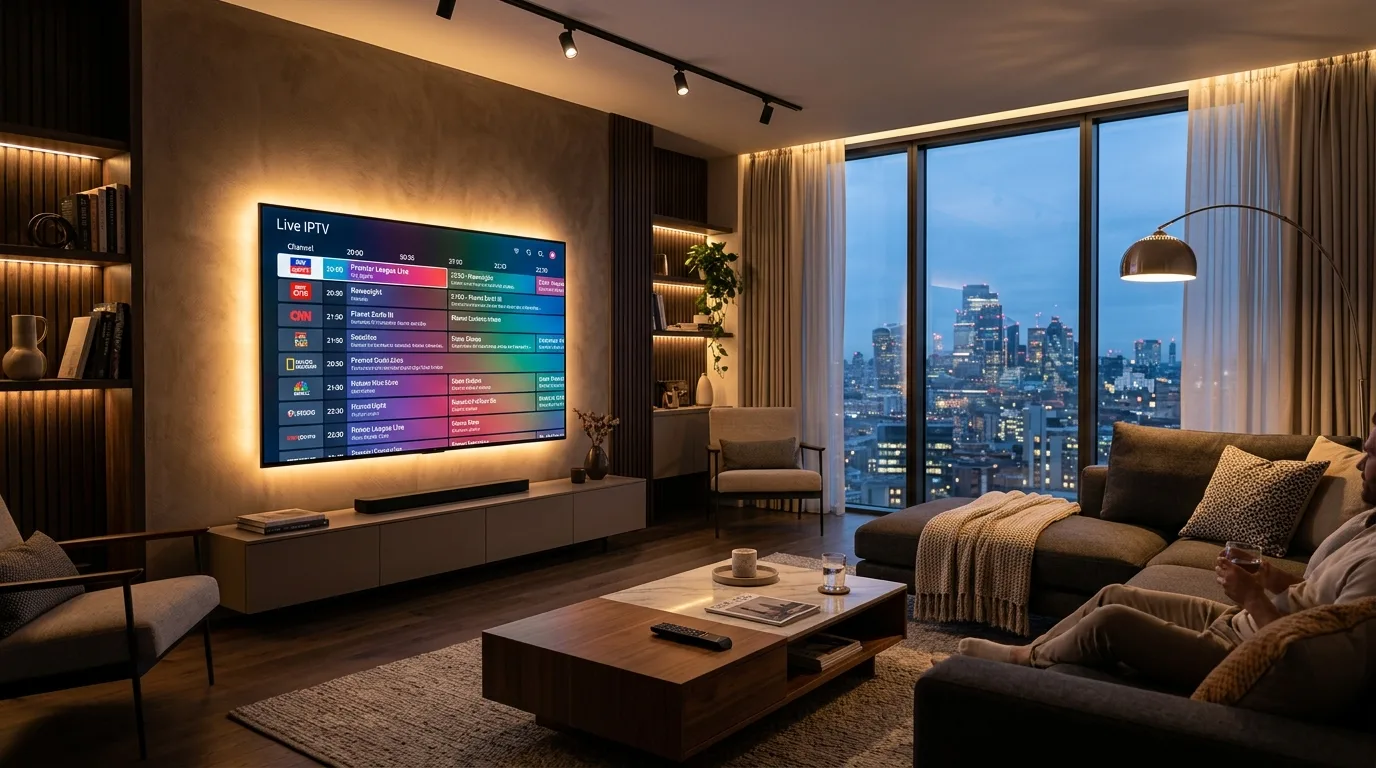 Photorealistic upscale modern living room at dusk with a large wall-mounted 4K Smart TV displaying a colorful live IPTV channel guide
Note: EPG quality depends on both the player's caching engine and the XMLTV feed supplied by your provider. A player cannot display program data if the upstream source lacks EPG data.
Live TV vs VOD: What Should Your IPTV Player Support?
Before choosing a player, consider whether your household primarily watches live sports and news, or if on-demand movies represent a major share of viewing:
- Live Broadcasts: Requires fast channel zapping, accurate EPG timelines, favorite bookmarking, and low-latency decoding. TiviMate and Smart IPTV prioritize these features.
- Video on Demand (VOD): Requires dedicated movie and series portals, poster artwork, resume playback, and subtitle support. IPTV Smarters Pro and IBO Player excel in handling VOD libraries.
If you enjoy both live sports and on-demand movies, IBO Player on Samsung/LG or IPTV Smarters Pro on Android TV offers the most balanced hybrid viewing environment.
Are Paid IPTV Apps Better Than Free Apps?
When browsing Smart TV app stores, you will encounter three common pricing models:
- Freemium Players: Apps like TiviMate provide basic playback for free, with premium features (multi-screen, recording, custom categories) unlocked via subscription or lifetime license.
- Trial with One-Time Activation: Native Smart TV apps like IBO Player and Smart IPTV offer a 7-day trial. Unlocking permanent use requires a modest one-time fee (typically €5 to €8 per device MAC address).
- Ad-Supported Players: Free apps that display banner promotions within menus.
An app activation fee funds software updates—it does not include TV channels. Premium players offer substantial upgrades in EPG speed, remote ergonomics, and stability. Review our BexyTV installation guide for setup workflows.
Can Your IPTV App Affect Streaming Quality?
Changing your IPTV player cannot cure all buffering, as streaming quality depends on software and network variables:
What the IPTV Player Controls:
- Interface Speed: How quickly channel menus open.
- Zapping Speed: Buffer initialization times when switching channels.
- Hardware Acceleration: Offloading decoding to the TV GPU to prevent dropped frames.
- Buffer Management: Caching 2 to 5 seconds of stream data to absorb minor network hiccups.
What the IPTV Player Cannot Control:
- Broadband Speed & Stability: Your raw internet speed and local Wi-Fi interference.
- ISP Throttling: Bandwidth caps imposed by your broadband provider during peak hours.
- Server Capacity: Transit speeds provided by your IPTV host.
To ensure your home broadband is properly optimized, consult our guide on what internet speed do you need for IPTV in 2026.
How to Choose the Best IPTV App for Your Smart TV
Follow this structured checklist to select the best IPTV player for your Smart TV:
- Verify Your TV OS: Identify whether your TV runs Samsung Tizen, LG webOS, or Android TV.
- Check Store Availability: Search your TV store for IBO Player, Smart IPTV, or Net IPTV to verify regional access.
- Inspect Credentials: Determine whether your service provides Xtream Codes API credentials or an M3U playlist link.
- Determine Priorities: Prioritize TiviMate for live sports, or IBO Player and Smarters Pro for balanced live TV and VOD.
- Check Remote Feel: Ensure the app feels intuitive when navigated with your TV remote.
- Use Free Trials: Test channel switching and audio sync during free trials before paying activation fees.
- Optimize Buffers: Set playback buffers between 2 and 4 seconds to eliminate video stutter.
- Keep Firmware Current: Update your TV operating system regularly for ongoing codec compatibility.
How IPTV Apps Work on Smart TVs
Setting up an IPTV application on a Smart TV is a straightforward process across major brands:
- Install the Player: Open your TV's app store (Samsung Smart Hub, LG Content Store, or Google Play), search for your chosen player (such as IBO Player), and install it.
- Note Device Identifiers: Open the app to view your unique MAC Address and Device Key on screen.
- Upload Playlist Details: Visit the player's web portal on a phone or PC, enter your TV's MAC address and key, and paste your M3U link or enter your Xtream Codes API login.
- Reload Application: Restart the app on your Smart TV to download channel bouquets, VOD libraries, and EPG schedules.
- Organize Favorites: Bookmark your most-watched channels into a custom favorites category for daily access.
For additional configuration guidance, review our BexyTV installation guide or visit our BexyTV streaming FAQ.
Common IPTV App Problems on Smart TV
Even top-rated Smart TV players occasionally encounter operational issues. Here is how to fix common problems quickly:
- App Missing from Store: Manufacturer policies occasionally cause temporary delistings. If unavailable, use a secondary native option (such as Net IPTV) or connect an external 4K streaming stick.
- Playlist Fails to Load: Verify your television's internet connection, check credentials for typos, and confirm your subscription is active.
- EPG Guide Is Empty: Trigger a manual EPG update in player settings, or confirm with your provider that their XMLTV feed is active.
- Video Stutters or Has No Audio: Switch the video decoder from Hardware (HW) to Software (SW) or toggle audio passthrough in playback settings.
- Frequent Buffering: Connect your TV via wired Ethernet or switch to 5 GHz Wi-Fi. If issues persist, contact 24/7 technical support for assistance.
Are IPTV Apps Legal?
IPTV is a standardized protocol for delivering video over IP networks. The technology is completely legal and used by telecom providers worldwide.
The legal standing of any IPTV setup depends strictly on content licensing:
- Legitimate Players: Applications like IBO Player, Smart IPTV, and TiviMate are neutral media players. They contain no pre-loaded channels and host no media streams.
- Content Authorization: Watching television broadcasts is fully legal provided your service provider possesses legitimate broadcast authorizations for the channels delivered.
- Safe Streaming Practices: Avoid unverified third-party APKs, modified app packages, and suspicious sellers offering thousands of channels at unrealistic prices. Always choose authorized providers that maintain transparent infrastructure and respect content copyrights.
Premium BexyTV 4K Streaming — Save 61% Today
Unlock 50,000+ channels, 150,000+ VODs, and 60 FPS Anti-Freeze technology. Get our 12-Month Plan for just $69.99.
- Premium Anti-Freeze v2
- Instant WhatsApp Activation
Frequently Asked Questions
Conclusion: Selecting the Ideal Smart TV IPTV Player in 2026
Selecting the best IPTV app for Smart TV in 2026 requires aligning software capabilities with your television's native operating system. For Samsung Tizen and LG webOS owners, IBO Player delivers an elegant, modern interface with robust EPG and VOD cataloging directly from your native app store. For Android TV and Google TV households, TiviMate remains the premier platform for replicating a high-performance cable television experience.
Remember that an exceptional player application is only as good as the streaming delivery network behind it. Pairing an optimized Smart TV with dependable high-speed delivery platforms like BexyTV ensures fluid 60 FPS sports broadcasts, rapid channel switching, and consistent stability across all your household screens. Explore our comprehensive BexyTV 4K channel lineup or select from our flexible BexyTV pricing plans to elevate your home viewing experience today.