Best IPTV Apps for Firestick in 2026: Top Players Compared
The Amazon Fire TV Stick remains one of the most widely adopted streaming devices worldwide, delivering 4K Ultra HD video directly to any television. However, finding the best IPTV apps for Firestick in 2026 requires understanding a fundamental distinction: an IPTV player application is completely separate from the content service you stream.
Many new cord-cutters install a player on their Firestick and wonder why no channels appear. An IPTV app is simply a media rendering engine designed to organize, decode, and play video streams provided by an independent IPTV subscription. Without a valid playlist URL or Xtream Codes login, an IPTV player is an empty shell.
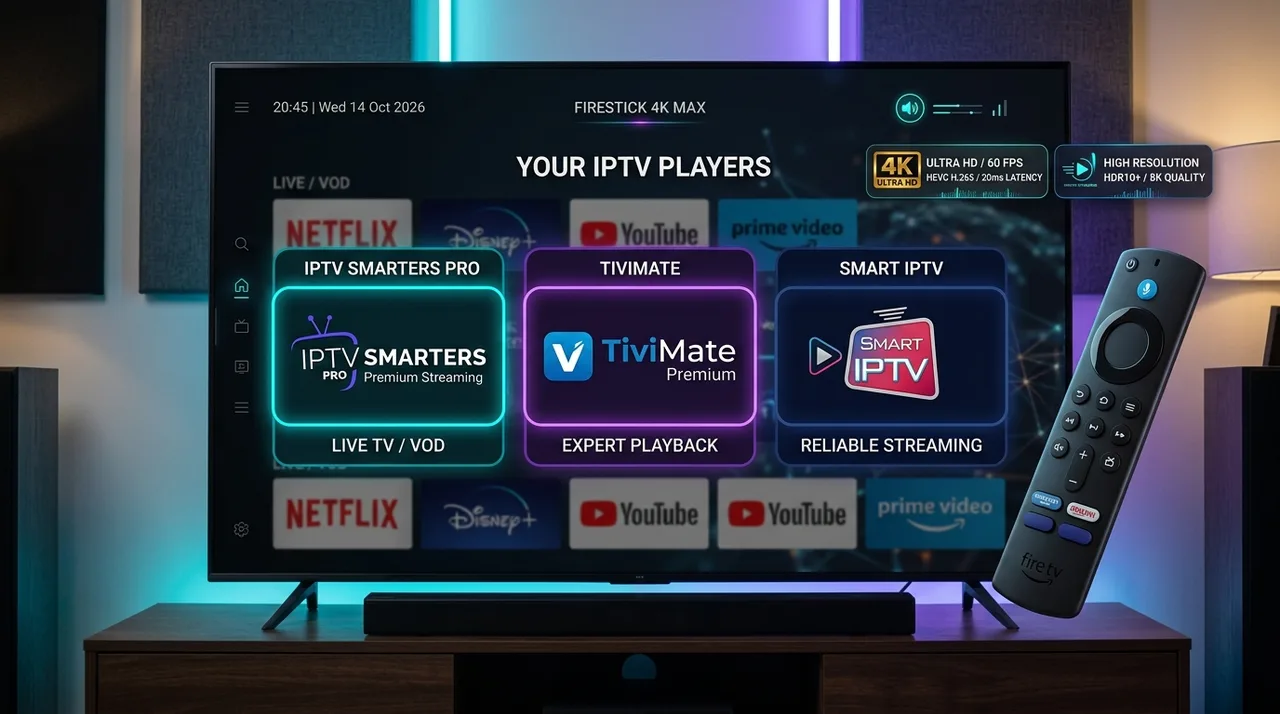
Choosing the right player directly impacts your viewing experience—influencing channel switching speed, Electronic Program Guide (EPG) responsiveness, multi-screen viewing, and stream stability. In this 2026 guide, we compare the top Firestick IPTV players, evaluate IPTV Smarters Pro, TiviMate, Smart IPTV, and XCIPTV, and help you select the ideal setup to pair with reliable streaming infrastructure like the BexyTV platform (learn more about how modern IPTV streaming works).
What Is an IPTV App on Firestick?
To choose the right app, it helps to understand how IPTV components interact. Streaming live television over IP relies on four distinct layers:
- The IPTV Service / Provider: The upstream server infrastructure that encodes, manages, and broadcasts live TV channels and on-demand video.
- The IPTV Playlist: The digital authorization credentials supplied by your service, delivered as an M3U URL or Xtream Codes API login (server URL, username, password).
- The IPTV Player Application: The client-side software installed on your Firestick that loads your playlist, displays the EPG grid, and decodes audio/video streams.
- The Amazon Firestick Hardware: The physical HDMI device (Fire TV Stick Lite, 4K, or 4K Max) handling network data and hardware video decoding.
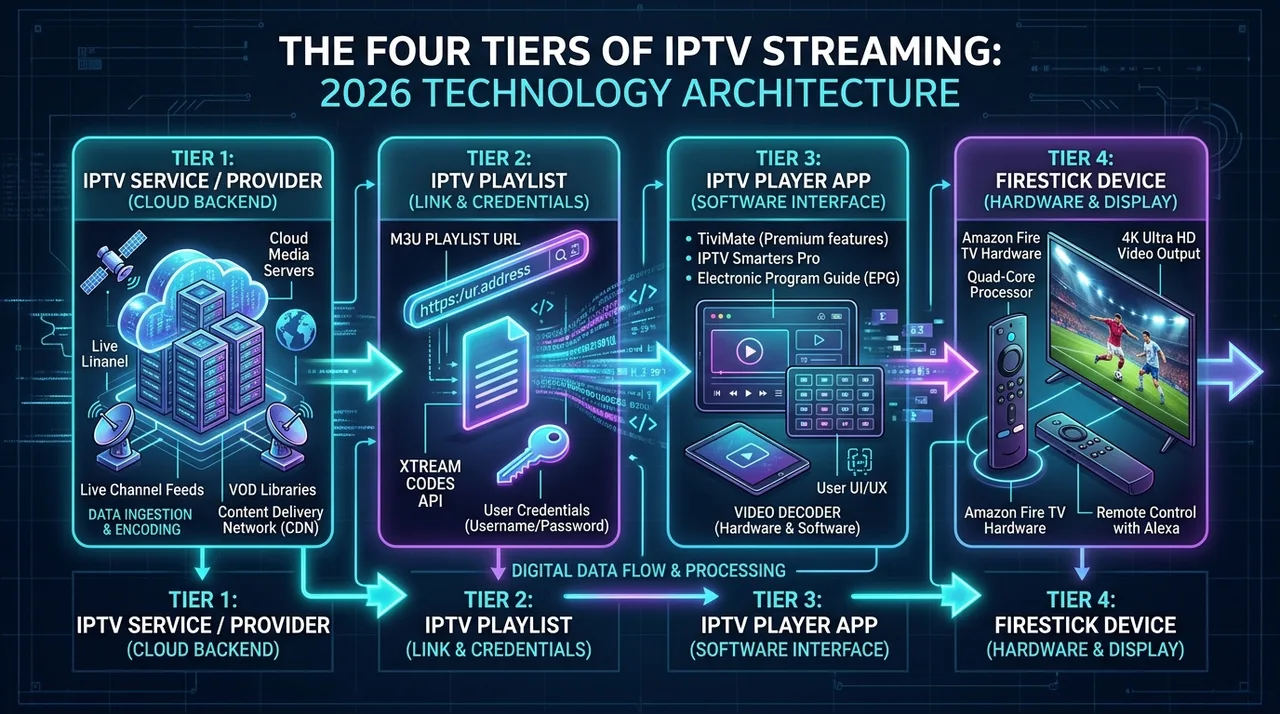 The four tiers of IPTV streaming explaining provider, playlist, player app, and Firestick hardware
An IPTV player does not include channels or media libraries. You must input credentials from an authorized service provider to watch content.
What Should You Look for in an IPTV Player?
Not all streaming players offer the same feature set. When evaluating an IPTV application for Amazon Fire TV, prioritize these core capabilities:
- Xtream Codes API & M3U Support: Compatibility with both M3U playlist URLs and Xtream Codes API login.
- Electronic Program Guide (EPG): A fast XMLTV-compatible TV guide grid for tracking live programming and upcoming events.
- VOD Organization: Clean sorting for movies and TV series, including poster artwork, synopsis metadata, and episode selectors.
- Fire TV Remote Optimization: Seamless D-pad navigation designed specifically for the Alexa Voice Remote without requiring mouse emulators.
- Multi-Playlist Management: The ability to switch between primary and backup subscriptions effortlessly.
- Multi-Screen & PIP: Split-screen functionality to watch multiple live sports broadcasts concurrently.
- Decoder Controls: Support for toggling internal decoders (ExoPlayer, VLC, Hardware+) to fix audio/video sync issues.
- Catch-Up TV: Quick access to past broadcasts directly from the EPG grid when supported by your provider.
Best IPTV Apps for Firestick in 2026
The table below compares the most reliable, tested IPTV players available for Amazon Firestick and Fire TV devices in 2026:
| IPTV Application | Primary Strength | Interface Style | M3U Support | Xtream Codes | EPG Quality | VOD Organization | Ease of Use | Pricing Model | Best For |
|---|---|---|---|---|---|---|---|---|---|
| IPTV Smarters Pro | Best All-Rounder & VOD | Tile Dashboard | Yes | Yes | Standard Grid | Excellent | Very High | Free / Paid Pro | Beginners and movie watchers |
| TiviMate | Best TV Guide Interface | Cable-Style EPG | Yes | Yes | Outstanding | Basic / Good | Moderate | Free / Premium | Live TV and sports enthusiasts |
| Smart IPTV (SIPTV) | Lightweight Simplicity | Channel List | Yes (MAC-based) | Via M3U Link | Basic | Minimal | Moderate | 7-Day Trial / €5.49 | Older Firesticks and simple lists |
| XCIPTV | Custom Decoders & UI | Dual Players | Yes | Yes | Standard Grid | Very Good | High | Free (Ad-supported) | Advanced playback troubleshooting |
| Televizo | Clean Modern Layout | Material Design | Yes | Yes | Good | Good | High | Free / Premium | Low-memory Firestick models |
Note: Features may vary across app releases and Amazon Fire OS firmware updates.
IPTV Smarters Pro on Firestick
IPTV Smarters Pro is one of the most widely used IPTV applications worldwide. Its popularity is driven by an intuitive layout that separates Live TV, Movies, Series, and Multi-Screen modes into distinct, accessible tiles.
Key Strengths of IPTV Smarters Pro:
- Beginner-Friendly Setup: Xtream Codes API integration allows login with just a server URL, username, and password, automatically organizing channel categories.
- Rich VOD Portal: Displays cover art, cast details, plot summaries, and episode selectors for movies and television series.
- Multi-Screen Viewing: Supports split-screen viewing for up to four live channels simultaneously.
- Integrated Speed Test: Built-in network utility to diagnose connection bandwidth directly to your streaming server.
Limitations:
The free version contains occasional upgrade prompts, and the live TV guide is less fluid than cable-style players like TiviMate. However, for households seeking a balanced mix of live broadcasts and on-demand streaming, Smarters Pro remains an outstanding choice. Check our BexyTV supported devices guide to see compatible hardware.
TiviMate on Firestick
For cord-cutters who prioritize replicating the seamless channel surfing of traditional cable, TiviMate is widely considered the gold standard live TV player on Fire TV devices.
Key Strengths of TiviMate:
- Cable-Style Program Guide: A smooth, horizontal EPG timeline lets you scroll through hundreds of channels without interrupting live playback.
- Unified Multi-Playlist Support: Combines multiple provider playlists into one organized guide, color-coding channels by source.
- Channel Customization: Rename channels, hide unwanted groups, reorder categories, and map custom EPG sources.
- Visual Fine-Tuning: Adjust guide row heights, text sizes, transparency, and preview window sizes to your preference.
Free vs. Premium:
The free version allows basic playback, but premium features—such as multi-playlist support, scheduled recording, favorites management, and category sorting—require TiviMate Premium. For serious sports and live TV fans, the premium license is well worth the investment.
Smart IPTV on Firestick
Premium BexyTV 4K Streaming — Save 61% Today
Unlock 50,000+ channels, 150,000+ VODs, and 60 FPS Anti-Freeze technology. Get our 12-Month Plan for just $69.99.
- Premium Anti-Freeze v2
- Instant WhatsApp Activation
IPTV Smarters vs TiviMate: Which Is Better?
The choice between IPTV Smarters Pro and TiviMate is the most common decision Firestick users face. Both apps are dependable, but they serve different viewing habits.
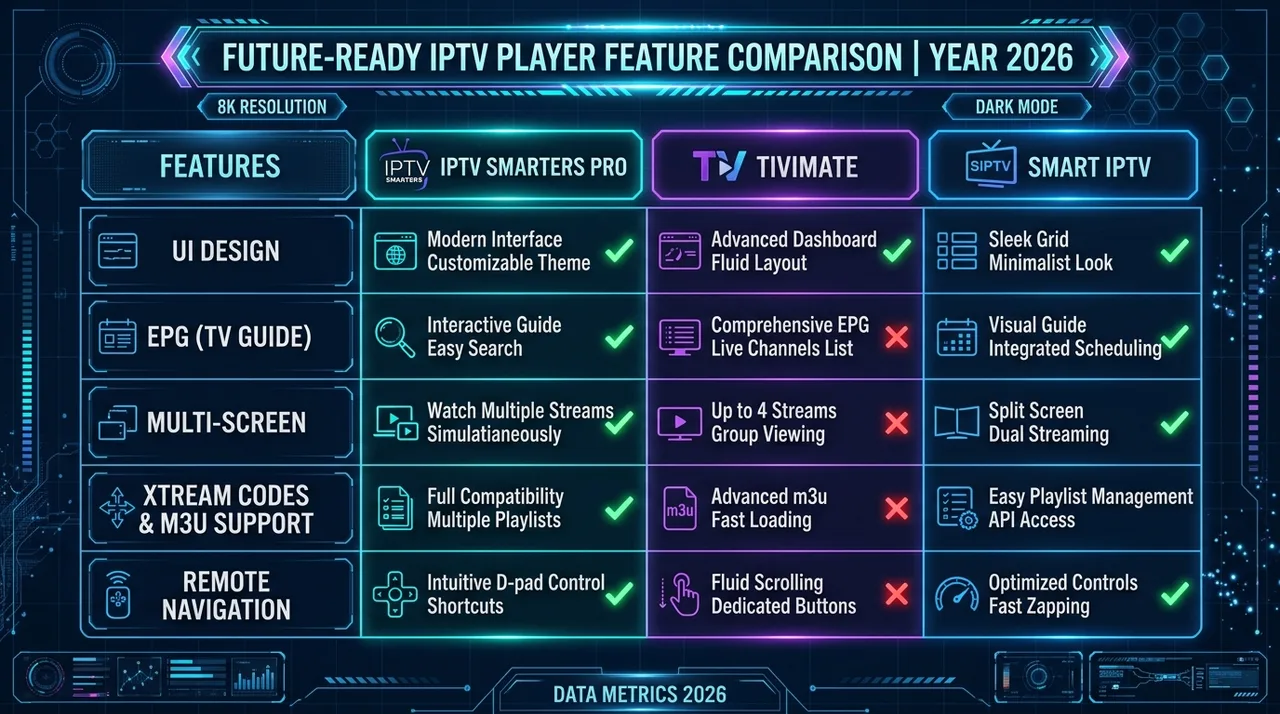 Feature comparison matrix between IPTV Smarters Pro, TiviMate, and Smart IPTV for Firestick
Core Comparisons:
- User Interface: IPTV Smarters Pro uses a dashboard layout tailored for mixed media (Live TV, Movies, Series). TiviMate opens directly into a full-screen TV guide, prioritizing immediate channel surfing.
- EPG Experience: TiviMate provides the fastest, most customizable EPG timeline on Fire OS. Smarters Pro offers a functional guide, but category browsing feels more segmented.
- VOD & Series Management: IPTV Smarters Pro is superior for movies and TV series, offering resume playback, subtitles, and episode selectors. TiviMate focuses primarily on live television.
- Configuration Depth: TiviMate gives power users fine control over buffer sizes, audio passthrough, and remote shortcuts, while Smarters keeps settings simpler.
Recommendations:
- Choose IPTV Smarters Pro if you want an easy all-in-one hub for live sports, movies, and series for the entire household.
- Choose TiviMate if live channel surfing, fast zapping, and an advanced cable-style TV guide are your top priorities.
Free vs Paid IPTV Apps
When choosing an IPTV player in 2026, you will encounter three primary pricing models:
- Free Players: Open-source tools like VLC decode network streams at zero cost, but lack dedicated IPTV features like automated EPG syncing and channel sorting.
- Ad-Supported Players: Apps like XCIPTV offer full features for free by displaying banner ads during menu navigation.
- Freemium Players: Apps like TiviMate offer basic playback for free, unlocking power features (recording, multiple playlists, custom EPGs) via subscription or lifetime license.
Paying for an app unlocks software interface features—it does not include television channels. Investing in a premium player is worthwhile if you need multi-playlist support or advanced guide management. For simple single-screen streaming, free options are often sufficient. Check our BexyTV installation guide for recommended setup workflows across player types.
M3U vs Xtream Codes: Which Should Your IPTV App Support?
When configuring an IPTV app, your provider will supply access in one of two formats: an M3U Playlist URL or Xtream Codes API credentials.
M3U Playlists
An M3U playlist is a text-based index URL containing channel streams and EPG links.
- Pros: Universally supported across virtually every media player and streaming device.
- Cons: Long URLs are tedious to type on a Firestick remote, and playlist updates may require manual refreshing.
Xtream Codes API
Xtream Codes uses three simple fields: Server URL, Username, and Password.
- Pros: Fast and easy to enter via remote, automatically synchronizes live channels and VOD libraries, and updates EPG data seamlessly in the background.
- Cons: Requires native Xtream Codes API integration in the player app.
Whenever available, Xtream Codes API is strongly recommended for Firestick setups due to easier entry and automated guide synchronization.
How IPTV Apps Affect Streaming Performance
While an IPTV player app cannot alter your raw broadband bandwidth, software optimization directly impacts playback quality:
- Channel Zapping Speed: Optimized video pipelines initialize playback buffers quickly, switching channels in under two seconds.
- RAM Efficiency: Budget Fire TV Sticks have 1 GB to 1.5 GB of RAM. Lightweight apps prevent memory overflow and unexpected crashes during extended viewing.
- Hardware Video Acceleration: Efficient decoders offload rendering to the Firestick GPU, keeping operating temperatures cool and eliminating dropped frames.
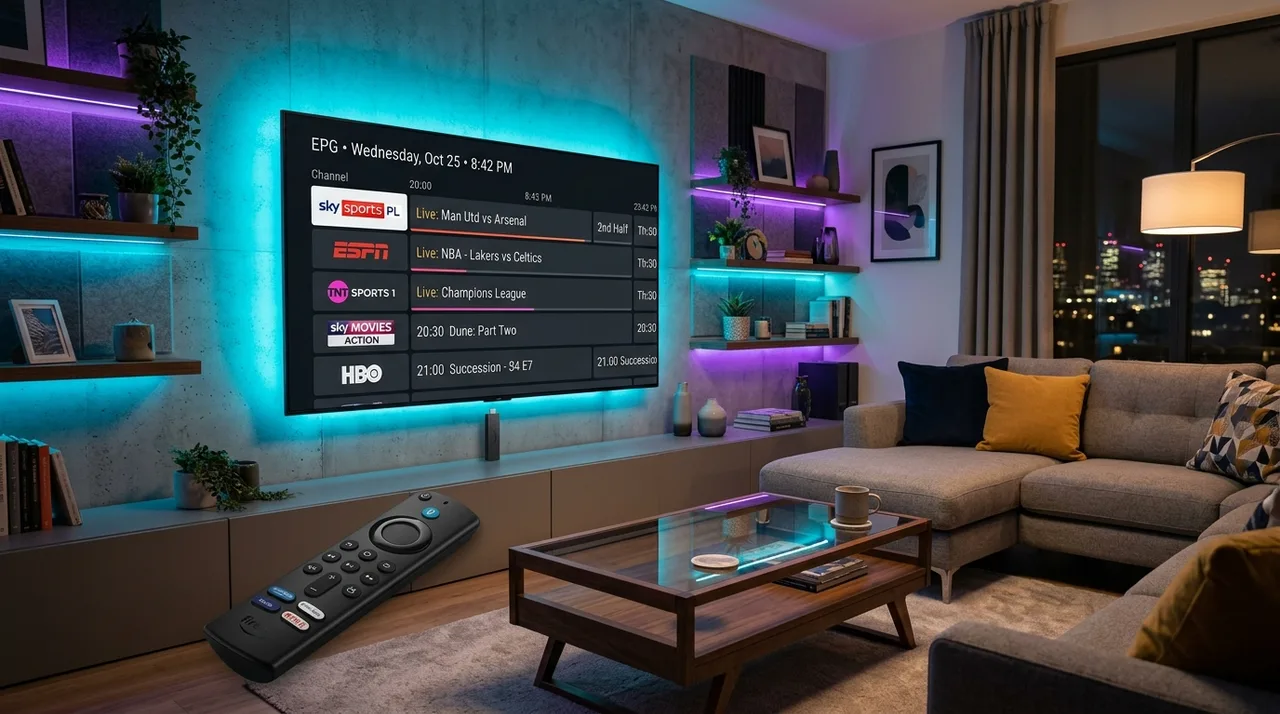 Modern Amazon Firestick living room setup running IPTV player with electronic program guide
However, a player cannot fix network-level problems. If streams buffer repeatedly, the root cause is usually Wi-Fi interference, packet loss, or ISP throttling. To optimize your home network, review our guide on what internet speed do you need for IPTV in 2026.
Which IPTV App Is Best for Different Firestick Users?
To match an app to your household's viewing style, consider these user profiles:
Best for Beginners
IPTV Smarters Pro offers the smoothest onboarding. Its simple tile dashboard, Xtream Codes login, and unified handling of live TV and movies prevent technical frustration.
Best for TV Guide & EPG
TiviMate provides the premier live TV interface. Its smooth horizontal timeline, quick channel previews, and category organization deliver an authentic set-top box feel.
Best for Advanced Customization
Power users who want granular buffer adjustments, audio passthrough control, external players (such as MX Player), and button mapping will prefer TiviMate Premium or XCIPTV.
Best for Older Firestick Models
For older or storage-constrained devices, Smart IPTV and Televizo offer fast, lightweight performance without bogging down system memory.
Best for Multiple Subscriptions
Viewers managing separate domestic and international playlists can use TiviMate Premium to combine multiple accounts into a single organized TV guide.
How to Choose the Right IPTV App for Your Firestick
Follow this structured checklist to choose the right IPTV player for your Amazon Firestick:
- Check Storage & Hardware: Ensure your Firestick (Lite, 4K, or 4K Max) has at least 1.5 GB of free flash storage for app caching.
- Identify Your Credentials: Confirm whether your provider offers Xtream Codes API credentials or an M3U playlist link.
- Define Viewing Priorities: Prioritize TiviMate for live sports and news, or IPTV Smarters Pro for a balance of live channels and VOD.
- Confirm Remote Usability: Choose players built specifically for Fire TV D-pad navigation rather than mobile touchscreen ports.
- Test Free Versions First: Verify channel switching speed and audio sync before purchasing any premium license.
- Adjust Video Buffers: Set playback buffer margins to 2–4 seconds to prevent micro-stutters during peak evening hours.
- Keep Software Updated: Regularly update your player to maintain compatibility with Fire OS security updates and video codecs.
Common IPTV App Problems on Firestick
Even top-rated players can encounter minor glitches on Fire TV devices. Here is how to fix common problems quickly:
- App Crashes on Launch: Often caused by low available RAM. Restart your Firestick (hold Select and Play/Pause for 5 seconds) and close background apps.
- Playlist Fails to Load: Check your Wi-Fi connection, verify your login details for typos, and confirm your subscription is active.
- EPG Guide Is Blank: Manually trigger an EPG update in the app settings, or confirm your provider's EPG server link is active.
- Audio/Video Out of Sync: In player settings, switch video decoding from Hardware (HW) to Software (SW) or Hardware+ (HW+).
- Constant Buffering: If your internet speed is sufficient, increase the player buffer size from "None" to "Medium" or "Large". Check our BexyTV streaming FAQ or reach out to 24/7 technical support for assistance.
Is Using an IPTV App on Firestick Legal?
IPTV is a standard digital protocol for streaming video content over IP networks. The technology itself is completely legal, just like internet browsers, media players, and streaming hardware.
The legality of your streaming setup depends strictly on the content source:
- Legitimate Players: Apps like IPTV Smarters Pro, TiviMate, and Smart IPTV are neutral media players. They do not host, sell, or distribute copyright-protected media.
- Content Licensing: Streaming television is legal provided your service provider possesses legitimate broadcast authorizations for the streams delivered.
- Safe Streaming Practices: Avoid unverified third-party APKs, modified app packages, and suspicious sellers offering thousands of premium channels at unrealistic prices. Always choose authorized providers that maintain robust, secure infrastructure.
Premium BexyTV 4K Streaming — Save 61% Today
Unlock 50,000+ channels, 150,000+ VODs, and 60 FPS Anti-Freeze technology. Get our 12-Month Plan for just $69.99.
- Premium Anti-Freeze v2
- Instant WhatsApp Activation
Frequently Asked Questions
Conclusion: Selecting the Ideal Firestick IPTV Player in 2026
Selecting the best IPTV app for Firestick in 2026 depends on your personal viewing style. If you want a polished, cable-style TV guide for live sports and daily television, TiviMate delivers an unmatched experience. If your household enjoys a balanced mix of live broadcasts, movies, and series with simple setup, IPTV Smarters Pro is the versatile choice.
Remember that an outstanding player requires reliable streaming infrastructure. Pairing an optimized Fire TV Stick with high-speed platforms like BexyTV ensures smooth 60 FPS sports broadcasts, rapid channel switching, and consistent stability. Explore our BexyTV 4K channel lineup or review our flexible BexyTV pricing plans to elevate your home entertainment setup today.